Build
Upload a marker
A marker is the image your experience is anchored to. Point a phone at it and your content appears on top. Any photo, poster, product label, or printed page can be a marker.
You do not need a special “AR marker”. A normal image with enough visual detail works best.
Add your image
Open your experience in the studio, then:
- 1Go to the Markers tab in the left panel.
- 2Click Upload and pick a photo, poster, or printed page.
- 3Kioo compiles it and shows a trackability score.
- 4Print it, or keep it on a screen, and scan to test.
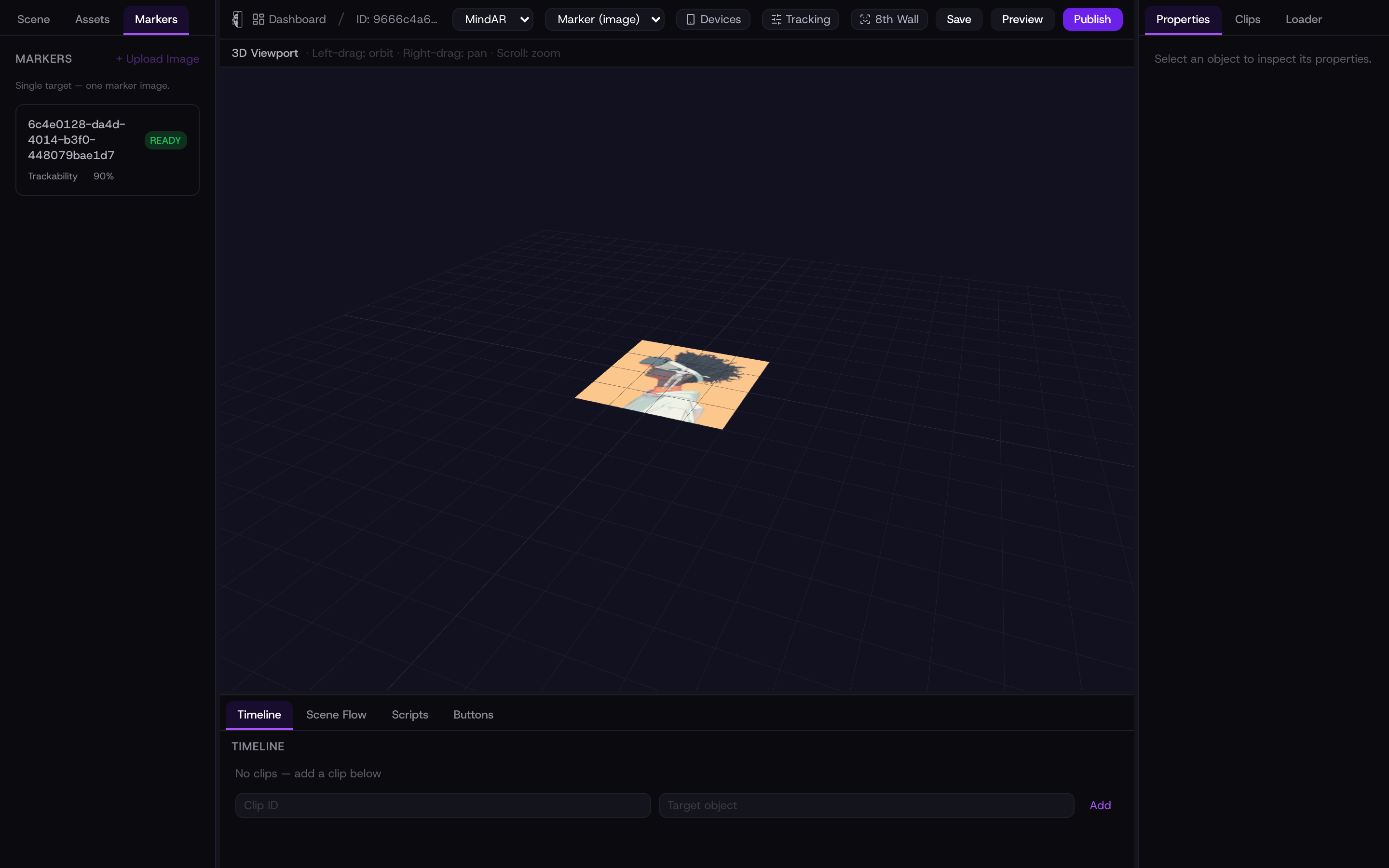
Trackability score
The score estimates how reliably the tracker can lock onto your image. Higher is better. Photos with lots of contrast and unique detail score well; flat colours, repeating patterns, and blurry images score low.
Tip: a busy album cover or a detailed illustration tracks far better than a plain logo on white.
Tips for markers
- Use a matte print — glossy paper and screens can glare under bright light.
- Keep the whole marker in frame while scanning, and hold steady for a beat.
- Bigger markers track from further away; pick a size that suits the space.